COTS vs. Custom Software: Which Is Better for Your Budget and Requirements?
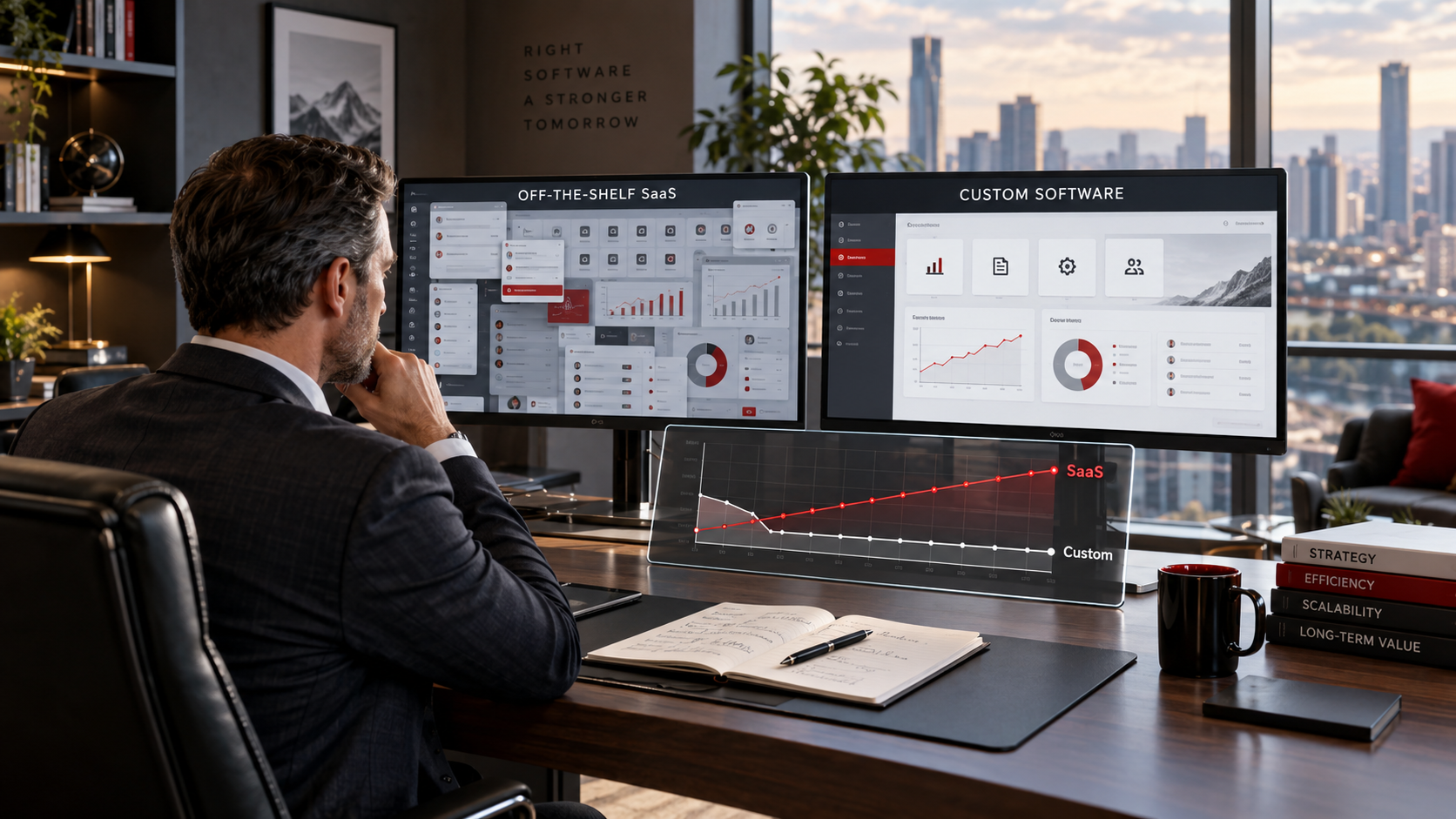
The Cheapest Software Today May Not Be the Least Expensive Software Tomorrow
When organizations need a new business system, the first instinct is often to purchase an existing commercial product.
That decision is understandable.
Commercial off-the-shelf software, commonly called COTS, can often be purchased quickly. Software-as-a-Service, or SaaS, makes the process even easier by allowing organizations to subscribe to an application without purchasing servers, installing software, or managing much of the underlying infrastructure.
A vendor may offer an attractive introductory price, dozens of features, a polished interface, and the promise that the system can be operational almost immediately.
For many organizations, that is exactly the right solution.
However, SaaS and other COTS products are not automatically the least expensive or most effective choices over the long term.
The real decision should begin with two questions:
What does our organization actually need?
What will it cost us to meet those needs over the useful life of the system?
Those questions can produce a very different answer than simply comparing the initial price of commercial software with the cost of developing a custom application.
What Is COTS Software?
Commercial off-the-shelf software is developed for a broad market rather than a single organization.
Examples include:
- Accounting platforms
- Customer relationship management systems
- Enterprise resource planning platforms
- Help desk systems
- Human resources applications
- Project management tools
- Scheduling applications
- Inventory systems
SaaS is a common way to deliver COTS software. Instead of purchasing a traditional perpetual software license, customers typically pay a recurring monthly or annual subscription.
Pricing may be based on:
- Number of users
- Features
- Storage
- Transactions
- Locations
- Projects
- Data volume
- Support level
- Integrations
The advantage is immediate access to a mature application without funding the complete development effort.
The limitation is equally important: the product was designed to satisfy the needs of a market, not your organization.
What Is Custom Software?
Custom software is designed around an organization's requirements.
Instead of beginning with the question, "What does the software already do?" the process begins with:
"What does the organization need the software to do?"
A custom solution may support:
- Organization-specific workflows
- Unique approval processes
- Specialized dashboards
- Customer or employee portals
- Existing databases
- Automated business processes
- Custom reporting
- Role-based permissions
- Industry-specific requirements
- Integrations with existing systems
The organization is not purchasing access to someone else's standardized product. The solution is being created around the organization's operations.
That distinction matters most when evaluating both requirements and long-term cost.
COTS Often Wins the Initial Price Comparison
If the only comparison is the first invoice, COTS and SaaS frequently appear less expensive.
Consider a business that needs project management software.
A SaaS provider might charge $25 per user per month.
For ten employees, the software costs:
$250 per month or $3,000 per year.
A custom application could require a significantly larger initial investment.
If the organization compares $3,000 in first-year subscriptions with perhaps tens of thousands of dollars in development, the SaaS product appears to be the obvious choice.
However, that comparison is incomplete.
Software decisions should consider the total cost of ownership, not simply the first-year expense.
Recurring Licensing Changes the Long-Term Budget
SaaS costs continue for as long as the organization uses the platform and often increase annually.
Using the same simplified example, ten users at $25 per month would cost:
- $3,000 after one year
- $9,000 after three years
- $15,000 after five years
- $30,000 after ten years
That assumes the number of users never increases and the subscription price never changes.
Neither assumption may be realistic.
As an organization grows, it may add employees, departments, locations, customers, projects, or data. Licensing costs often grow with it.
A business might begin with ten users and later require thirty.
At the same $25 rate, the annual expense becomes $9,000.
Over several years, recurring subscription costs can become substantial.
Custom software generally reverses that cost profile. Development requires a larger upfront investment, followed by hosting, maintenance, support, and enhancement costs.
For the right use case, there can be a point where continuing to rent commercial software costs more than developing and maintaining a solution the organization controls.
The Subscription Price Is Not Always the Full Cost
The advertised monthly price may also exclude capabilities the organization actually needs.
A lower subscription tier may provide basic functionality, while requirements such as these are reserved for higher-priced plans:
- Advanced reporting
- Automation
- API access
- Custom fields
- Single sign-on
- Increased storage
- Audit logs
- Resource management
- Administrative controls
- Data exports
- Premium support
Suddenly, the organization is not choosing the $25 plan. It needs the $45 or $70 plan because one important business requirement is available only at a higher tier.
The organization may end up paying for twenty additional capabilities just to obtain the one feature it actually needs.
That is an important difference between COTS and custom development.
With commercial software, the vendor defines the package.
With custom software, the organization defines the requirements.
Are You Buying What You Need or What the Vendor Wants to Sell?
One of the most overlooked differences between COTS and custom software is who controls the requirements.
With a custom solution, the conversation begins with questions such as:
- How does your organization operate?
- What problems are employees experiencing?
- Which steps should be automated?
- Which information needs to be captured?
- What should management see on the dashboard?
- Which reports are required?
- Who should have access?
- Which systems need to exchange information?
- What capabilities might be needed later?
The resulting application is built around those answers.
With COTS software, the conversation is often different.
The vendor demonstrates the capabilities already available and explains how the organization can adapt its processes to the platform.
Instead of saying:
"Here is what we need."
The customer may eventually hear:
"Here is how our system works."
That distinction matters.
Sometimes changing an internal process to match established software is beneficial. A mature commercial system may introduce better practices.
Other times, the organization has a legitimate business process, competitive advantage, contractual requirement, or customer need that simply does not fit the vendor's standardized workflow.
When that happens, employees create workarounds.
The Hidden Cost of Workarounds
A software license may be inexpensive, but the process around it can become expensive.
Employees may need to:
- Maintain separate spreadsheets
- Enter information twice
- Export and reformat reports
- Manually transfer data between systems
- Create external approval processes
- Maintain separate document repositories
- Perform calculations outside the application
- Develop unofficial tracking systems
Each workaround consumes employee time.
If five employees each spend only two hours per week compensating for software limitations, that equals 520 labor hours per year.
Those hours have a cost.
Organizations should therefore ask not only:
"What does the software cost?"
They should also ask:
"What does it cost our employees to work around the software?"
A custom application that eliminates hundreds of hours of repetitive work may provide significant financial value even when its initial purchase price is higher.
Unused Features Are Not Free
COTS vendors often promote the number of features included in a platform.
More features can sound like better value, but only when they solve real business problems.
An organization may purchase a system containing:
- Marketing automation
- Resource forecasting
- CRM functions
- Advanced dashboards
- Timekeeping
- Chat
- Document management
- AI assistants
- Portfolio management
Yet the organization may use only tasks, schedules, and basic reporting.
The remaining capabilities add little operational value.
They can also complicate the interface, increase training requirements, and confuse employees.
Custom software can take a different approach: build what is needed now and add functionality when a legitimate requirement emerges.
An organization does not necessarily need fifty features on the first day.
It may need ten excellent features that closely match how the business operates.
SaaS Prices Can Change
A SaaS subscription is not a fixed long-term asset.
The vendor controls:
- Subscription rates
- Licensing tiers
- Feature availability
- Usage limits
- Storage allowances
- Support levels
- Product packaging
A feature included in one subscription tier today may eventually move to another tier. Discounts may expire. Per-user pricing may increase. A product can introduce new limits or modify how specific capabilities are licensed.
Customers generally have three choices when pricing or packaging changes:
- Accept the new terms.
- Reduce functionality or users.
- Move to another platform.
Migration is rarely free.
The organization may need to export data, configure another system, retrain employees, rebuild integrations, and change internal procedures.
That dependency is part of SaaS's long-term cost.
Vendor Lock-In Can Become Expensive
The longer an organization uses a commercial platform, the more deeply it can become embedded in daily operations.
Over several years, the system may contain:
- Customer records
- Historical projects
- Documents
- Workflows
- Reports
- Integrations
- Custom fields
- Employee knowledge
Changing platforms then becomes a major undertaking.
Before purchasing COTS or SaaS, organizations should ask:
- Can we export all of our data?
- In what format?
- Can attachments be exported?
- Can configuration data be transferred?
- Does the platform provide an API?
- What happens when our subscription ends?
- How much assistance will migration require?
Consider the ability to leave a vendor before becoming dependent on them.
Custom Software Can Provide Greater Cost Predictability
Custom development is not free from ongoing costs.
Applications still require:
- Hosting
- Security maintenance
- Backups
- Software updates
- Technical support
- Enhancements
- Database maintenance
- Monitoring
The important difference is that these costs can often be planned around the organization's environment rather than being tied directly to a vendor's per-user licensing strategy.
Adding five employees does not necessarily require purchasing five additional licenses for software the organization already owns.
A company may be able to grow from twenty employees to fifty without tripling its application licensing expense.
For growing organizations, that difference can materially change the long-term budget.
Custom Software Gives the Organization More Control
Ownership and control may also provide strategic value.
Depending on the development agreement and architecture, a custom solution can give the organization greater control over:
- Source code
- Data
- Feature priorities
- Integrations
- User limits
- Hosting
- Security configuration
- Reporting
- Upgrade schedules
The organization can decide whether a feature is worth developing, instead of waiting for a software vendor to add it to a product roadmap.
If business requirements change, the application can change with them.
That capability is particularly valuable when an organization's processes are part of what differentiates it from competitors.
When COTS or SaaS Is the Better Choice
Custom software is not always the correct answer.
COTS can offer excellent value when:
- Requirements are common across the industry
- The software already matches the workflow
- The number of users is small
- Implementation speed is critical
- The organization has a limited startup budget
- The platform requires specialized capabilities that would be expensive to reproduce
- Continuous vendor enhancements provide meaningful value
- The organization does not want responsibility for application ownership
Accounting software is a good example. Most small businesses do not need to build a custom general ledger system when mature commercial products already address standard accounting requirements.
The goal should never be to choose custom software merely because it can be customized.
The goal is to choose the solution that creates the best long-term business value.
When Custom Software Deserves Serious Consideration
Custom development becomes more compelling when:
- The organization has unique workflows
- Commercial software requires significant workarounds
- Licensing costs increase rapidly with users
- Several products are needed to complete one process
- Employees perform repetitive manual work
- Specialized integrations are required
- The organization requires ownership or greater control
- Commercial products contain substantial unnecessary functionality
- Existing software restricts growth
- The process provides a competitive advantage
In these circumstances, comparing only the upfront price can lead to the wrong decision.
One SaaS Product Can Become Several SaaS Products
Another challenge develops when no single commercial platform meets all requirements.
An organization may subscribe to:
- A CRM
- A project management application
- A scheduling tool
- An online forms platform
- A reporting product
- A document-management system
- An automation platform
Each subscription may appear affordable individually.
Together, they can create substantial recurring costs.
The organization must also make the systems communicate with one another.
That can introduce additional expenses for:
- Integration platforms
- API access
- Consultants
- Data synchronization
- Duplicate storage
- Administrative support
A custom application can sometimes consolidate several processes into one environment.
Instead of renting five applications and connecting them together, the organization may benefit from owning one system designed around the complete process.
Requirements Should Drive the Decision
The software-selection process should begin with requirements, not product demonstrations.
Organizations should first identify:
- Must-have capabilities
- Desired capabilities
- Number of users
- Business processes
- Data requirements
- Security requirements
- Reporting needs
- Integrations
- Growth expectations
- Budget constraints
Only after documenting those requirements should organizations compare COTS and custom alternatives.
A software demonstration is more useful when the organization can ask:
"Show us how your product satisfies requirement number 14."
rather than allowing the vendor to decide which capabilities should matter.
Compare Five-Year Cost, Not Just First-Year Price
A practical software comparison should include total cost of ownership over multiple years.
For COTS or SaaS, consider:
- Initial implementation
- Monthly or annual licenses
- Future users
- Expected price increases
- Premium features
- Training
- Integrations
- Data migration
- Support
- Administrative labor
- Workaround labor
For custom software, consider:
- Requirements analysis
- Design
- Development
- Testing
- Implementation
- Hosting
- Maintenance
- Security
- Support
- Enhancements
The correct analysis may be three, five, seven, or ten years depending on how long the organization expects to use the solution.
That comparison provides a much more realistic view of value.
The Right Answer May Be a Hybrid Approach
Organizations do not always need to choose entirely between COTS and custom software.
A hybrid strategy may use established commercial products for standardized functions while developing custom applications for processes that differentiate the organization.
For example, a business might retain commercial accounting software while developing a custom operational platform that integrates with it.
That approach avoids rebuilding mature commodity functionality while giving the organization control over workflows that genuinely require customization.
How SingTone Technologies Approaches the Decision
SingTone Technologies does not believe every organization needs custom software.
We believe every organization should understand what it is paying for.
Before recommending a solution, we will evaluate:
- Business requirements
- Current processes
- Existing applications
- Repetitive work
- Required integrations
- User growth
- Licensing costs
- Security requirements
- Long-term objectives
When a commercial solution provides the right functionality at an appropriate long-term cost, it may be the correct decision.
When organizations pay recurring fees for unused features, adapt important processes around software limitations, combine several subscriptions, or face rising licensing costs as they grow, custom development deserves serious consideration.
Stop Asking Only What Software Costs Today
The most important software decision is not:
"Which option has the lowest monthly price?"
The better question is:
"Which option gives our organization the capabilities we need at the best total value over time?"
COTS and SaaS products can provide fast deployment and excellent value. Custom software can provide ownership, flexibility, budget predictability, and a much closer fit to organizational requirements.
Neither model is automatically better.
The mistake is assuming that SaaS must be cheaper simply because the initial subscription looks inexpensive.
Organizations should understand their requirements, calculate the long-term cost, account for employee workarounds, consider future growth, and evaluate how much control they want over the technology supporting their business.
At SingTone Technologies, we help organizations evaluate those choices and develop solutions based on what the organization actually needs—not what a software package tells the organization it should need.